grug once read The Grug Brained Developer and grug feel deep truth in tiny grug heart. world already hard. why tool make world more hard.
grug join school. all cool kids use emacs. grug want be cool kid too.
so grug install emacs. then grug open emacs. then emacs open grug.
many key. many mode. many tiny spell hidden inside bigger spell. grug forget how save file.
grug try spacemacs. things work for little while. then spacemacs break. package break. config break. maybe moon wrong shape that day. editor become puzzle game, and grug did not sit down to play puzzle game.
so grug move to doom emacs. very fast. very sharp. grug fly around keyboard like cave bat with caffeine.
then doom emacs break too. this time grug have real work. real deadline. no time for ancient config war. tool that save grug time can also eat grug whole.
grug sad.
grug discover Cursor. just tab. just ask. no blood ritual. no ten-page blog post about aligning chakras of config file.
grug suspicious. nothing this easy in grug's life before. but grug enjoy while it last.
grug hear about claude code. finally. computer do boring part. grug keep big picture in head. grug become manager of one very fast very stupid employee.
but early claude code look like little too much wizard. grug ask fix one thing. claude touch twelve other thing. then when test still fail, claude fix test instead of code.
grug stare at screen. this either genius helper or raccoon in server room.
when thing too magic, grug become passenger in own cave. grug remember emacs.
then claude code get good. not perfect. but good enough that grug learn real skill: how to point stick. how to say no. how to say "no, not like that."
so grug begin to build. one terminal for frontend. one for backend. one for bug. one for experiment. one more because maybe next idea quick. one more because grug forgot what first one doing.
now grug have mass terminal. one agent fixing button. one renaming file. one maybe deleting package grug still need. all windows look same. grug alt-tab like frightened squirrel.
and this where idea happen. grug think simple thought:
why grug need ten software for one life?
why notes in one app, tasks in another app, agents in twelve terminal, ideas in text file grug afraid to open?
why not one good software for grug?
not empire plan. not startup plan. own-problem plan. grug-scratch-own-itch plan.
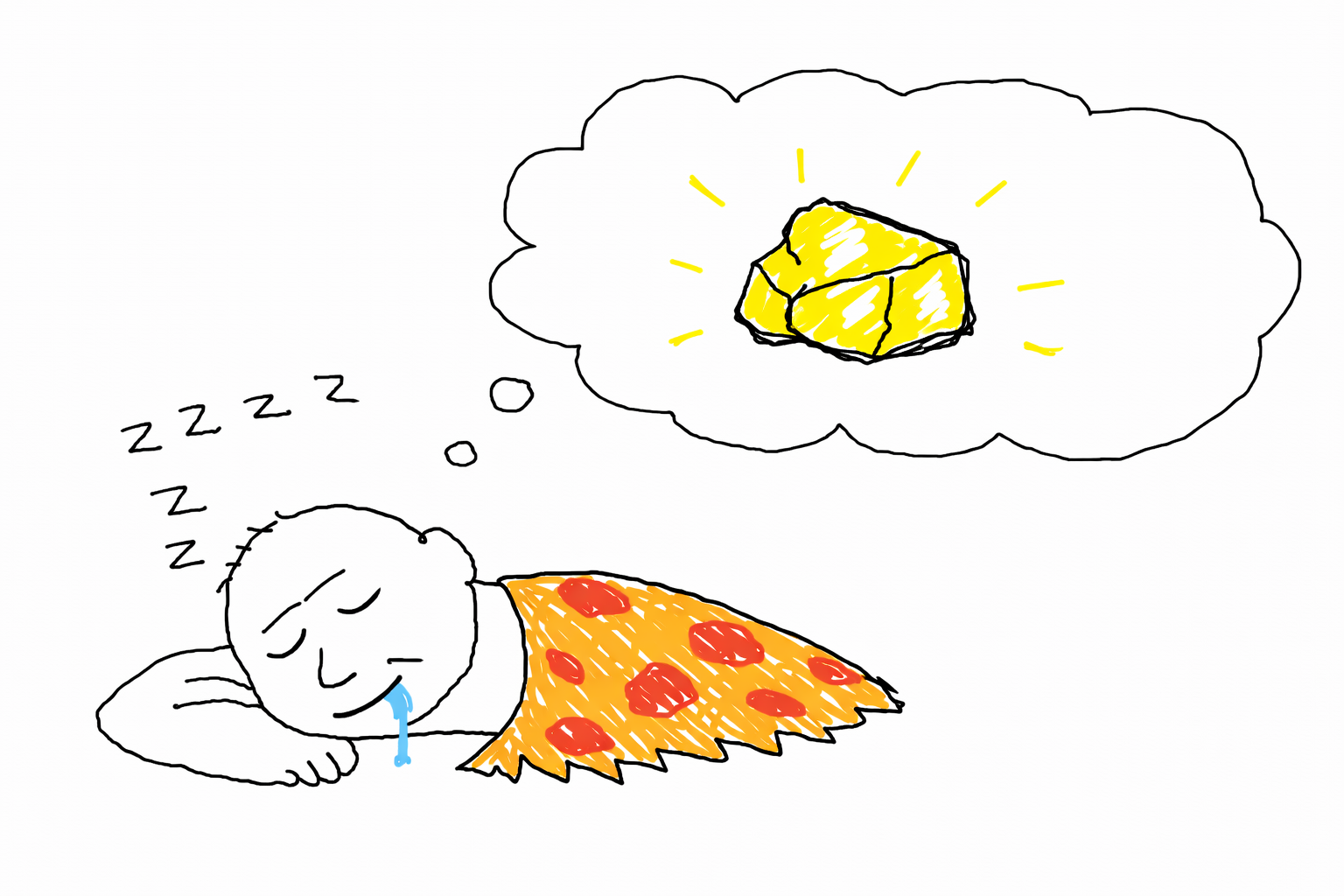
grug want one place where whole life of making can happen. think, write, build, send agent to do boring thing while grug stare at wall and call it "architecture."
grug see many people build software to capture user. grug want build software to un-confuse self. if other grug also helped, good. grug like sharing fire.
but grug know own weakness. easy chase shiny rock. easy build giant cave machine before first stool finished. grug already have mass cave machine in mind. grug must resist.
so grug make one promise: make useful first. make clever later. maybe never make clever at all. cleverness is how emacs happened.
grug just developer who get tired of alt-tabbing between seven terminals and wondering which one currently on fire.
if you also grug with mass claude terminal, maybe controller help. maybe not. grug not know your life.
The Controller is that one place. A desktop app that multiplexes Claude Code and Codex sessions, with agent management and notes — built so I can shape it freely to fit how I work.
Shapeability is the whole point. Most tools treat you like a renter — rearrange the furniture, pick the curtains, but you cannot touch the walls. Shapeability means you own the building. Dig a tunnel to the neighbor's house. The Controller is open source because shapeability requires it — you modify the actual code, not a plugin API.
Owning the building is not enough though — good luck digging that tunnel with a spoon. So The Controller is designed to put the right tools in your hands — hot reload, screen-aware agents, and interfaces built to be reshaped.
Fix a UI bug. Highlighted text in notes mode was too bright. cmd+s to spawn an agent, type "too bright" — the agent sees the screen, changes the source code, hot reload kicks in, and evaluates the result with Playwright. Totally hands free.
Add a new hotkey. I got tired of typing "please merge and sync local main checkout", so I added m — squash merge, sync local main branch. One keybinding.
Play around with a new design. I wanted to try out making the notes editor into a WYSIWYG interface. Prompted it, used v to stage the changes and try it out, decided to keep it.
Build a demo. Need to show how shapeable this is? Prompt in a snake game:
I used to use Conductor — excellent Claude/Codex multiplexer, but closed source and not hackable. If the workflow does not fit, you work around it or leave.
Emacs and VSCode are excellent code editors — they have decades of refinement for the problem of a human writing code. But AI operations is a different problem. Managing multiple agents, tracking token spend, orchestrating sessions, adding arbitrary GUI — these are not things a text editor was designed around. You can bolt extensions on, but the core architecture was not built for it. And decades of legacy code means AI agents struggle to navigate and modify them reliably. Now that agents are powerful enough to build and reshape interfaces on demand, we should raise the bar for design — not stay constrained to interfaces built before agents existed.
Agent swarm tools are too complex for my day-to-day work. They don't provide a minimal operational surface that's intuitive to me, and probably too complex to freely shape. I also don't want to burn huge amounts on agents I may not even need.
The Controller is built for AI operators — not just engineering, but GTM, design, product. Agents, sessions, hot reload, and the source code itself are all first-class things you can change. That is the difference.
I no longer write code by hand. I run multiple Claude Code windows and shape the system through them. The Controller assumes that workflow — if you work differently (e.g. write code by hand), it might still be useful, but that is the path it was built around.
Agents — Start with the monolith, not the microservices. Stay close to the actual workflow, expand from real limits, not grand ideas.
Keyboard-first — The gap between thought and action should be as small as possible. Experimenting with voice for the same reason.
Cost — I built a notes editor into The Controller with AI editing capabilities. Notion + Notion AI would cost $20/month. Mine costs nothing — just the Claude subscription I'm already paying for. Why subscribe to another SaaS? There is probably an open source library that gets you 90% of the way there, and the remaining 10% is something you can build.
Say I want to add a 🤡 liquid glass theme 🤡 to The Controller. I spawn a Claude Code session and type: "Let's discuss!" Then I talk through design ideas — layout, colors, blur radius — before letting Claude implement.
While Claude works on that, I navigate the sidebar with j/k, jumping between other sessions. Free sessions show a green dot. If one is pending my input, I press l to focus it, respond, then esc to pop back to the sidebar. The whole time, liquid glass is still cooking in the background.
When implementation finishes, I press v to stage the changes and preview what it actually looks like. If I like it, I press m to merge. Done.
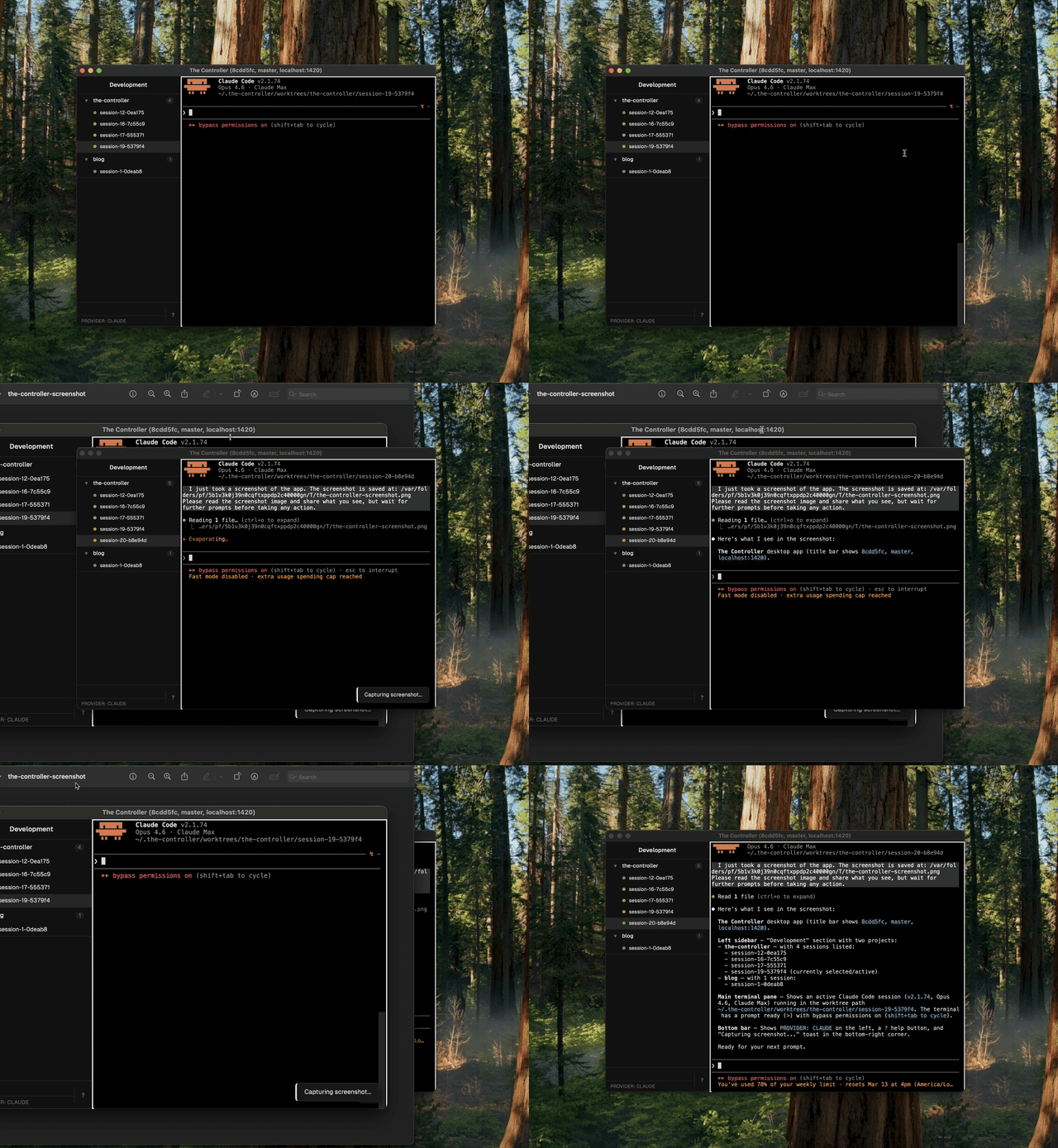
Later, I notice the glass blur is clipping weirdly on the sidebar. I press cmd+s to screenshot the whole app — or cmd+d if I only want to capture that specific area. The screenshot fires off to a newly spawned session. The Controller shows me the screenshot and waits for my prompt: "blur clips on sidebar edges." The agent sees the screenshot, finds the issue, and fixes it.
That covers most of the workflow. Discuss, implement, navigate, stage, merge, screenshot, fix. Repeat.
Some things I picked up while building The Controller:
Hardening Claude. Every task Claude runs follows a Definition → Constraints → Validation structure. No exceptions. I also use positive and negative tests. Positive tests are written before a feature is implemented — they fail initially, then pass when the feature is done. Negative tests are the reverse — they pass initially, then fail if a bug is introduced. This forces Claude to prove its work, not just claim it.
Playwright closed-loop evaluations. Agents need to evaluate the user experience end to end. If your app is a native desktop frontend, computer-use evals are expensive. It is much more practical to use an interface that can be embedded in a browser — then Playwright can drive the whole loop: act, observe, verify.
Claude skills and hooks. They power a surprising amount of functionality in The Controller. Skills define reusable agent behaviors (e.g. /the-controller-finishing-a-development-branch). Hooks let you trigger shell commands on events. Together they let you encode workflows as composable, triggerable units instead of long prompt chains.
Open Screen. I used this to record demos — fully free and open source screen recorder. I would like something similar embedded into The Controller, or at least integrated, so recording a demo is one keystroke away.
I built this around my own happy path and have not generalized it yet. I use a MacBook Pro (Arm) and mainly work in development mode, with occasional use of agents mode and notes mode.
Even if your setup differs, you can modify it however you like.
Bloat — Shapeability cuts both ways — easy to add means easy to accumulate. Requires discipline to remove what you don't use.
worker and maintainer) that still occasionally flood the repo with issues. Taming them.Tell Claude:
❯ setup and run: https://github.com/kwannoel/the-controllerIf something breaks during setup, ask Claude to fix it.
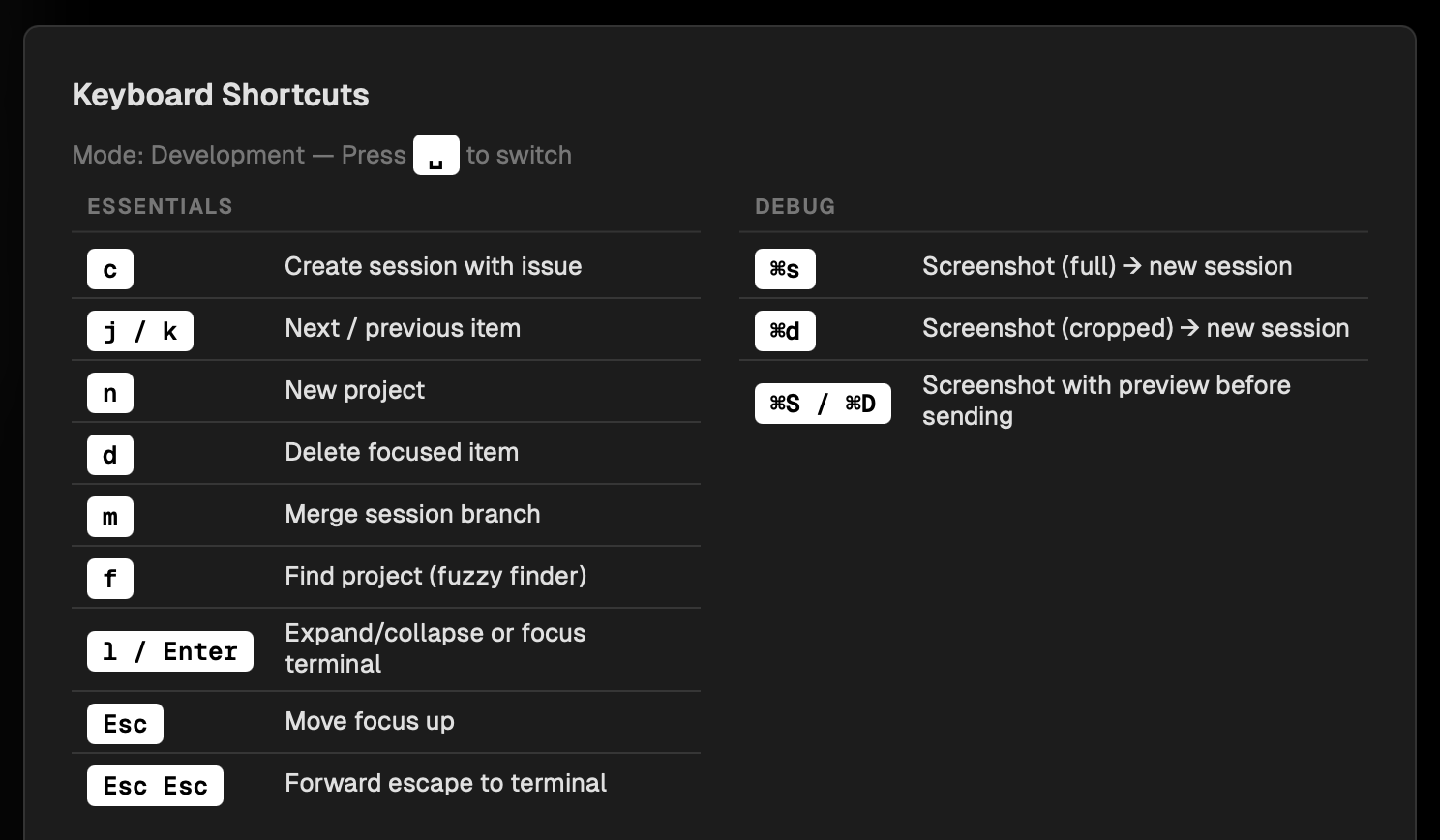
Once the app is running, press ? to open the help menu:
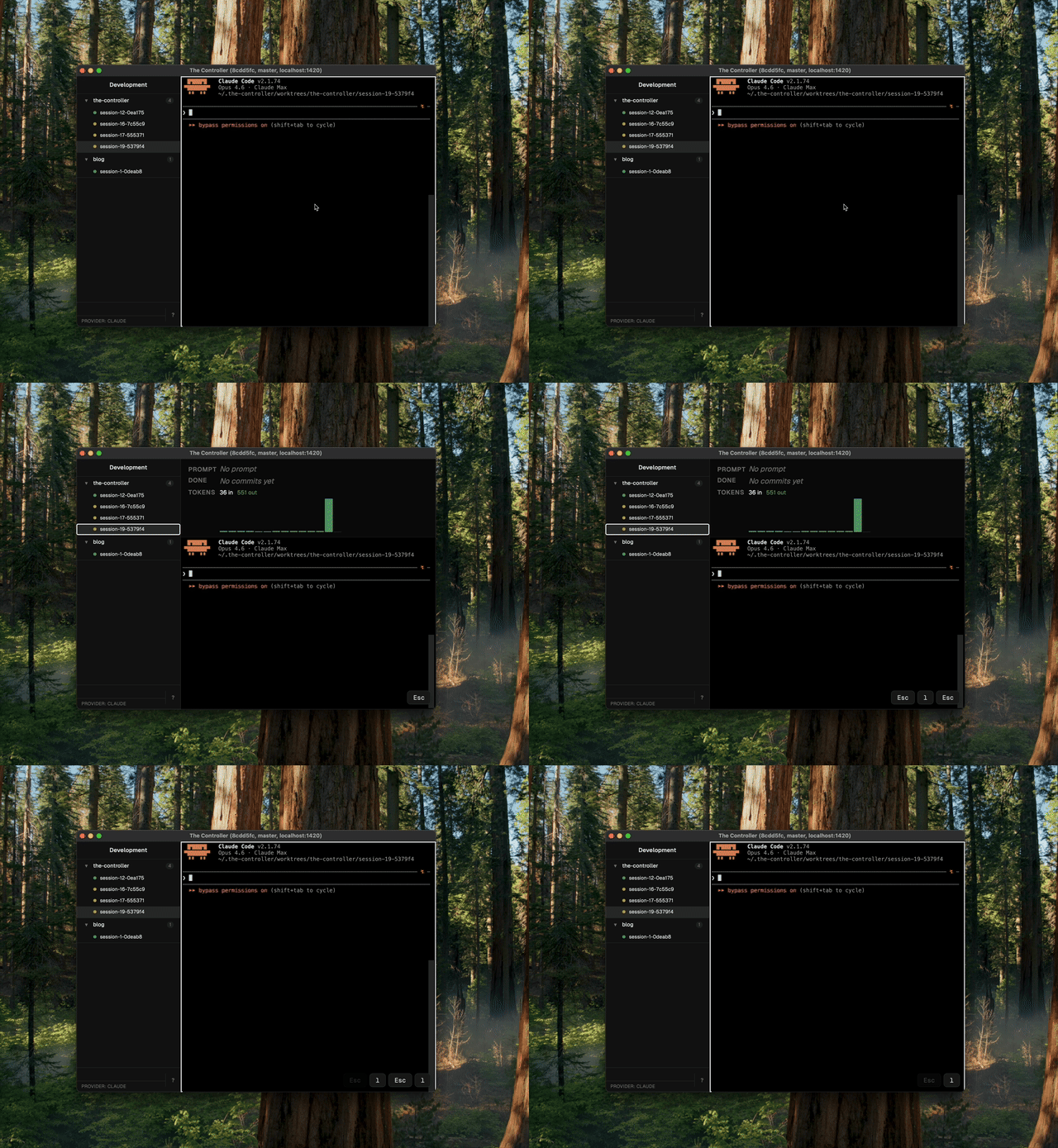
esc lMove focus between the session terminal and the sidebar.
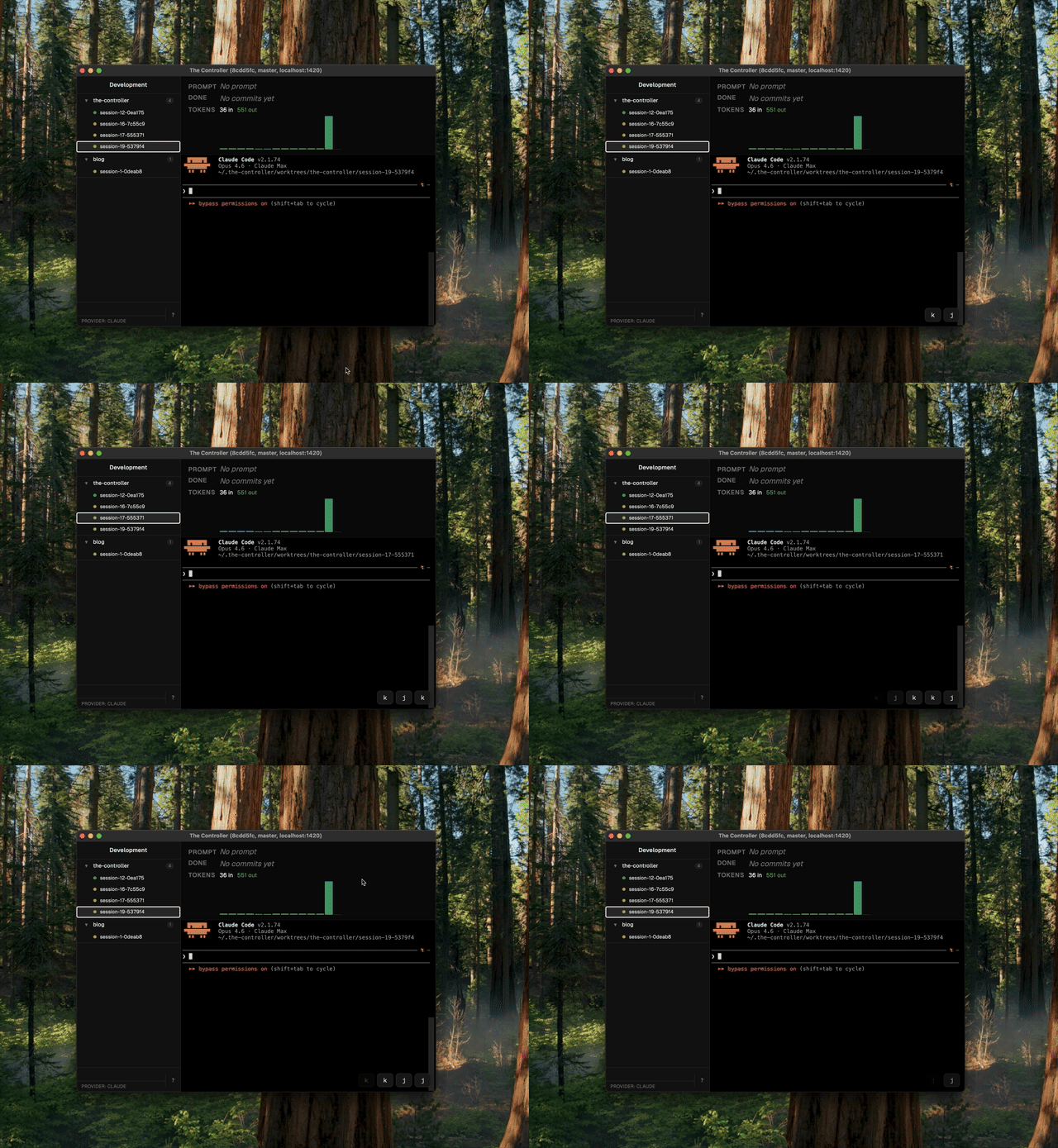
j/kNavigate up and down through sessions in the sidebar.
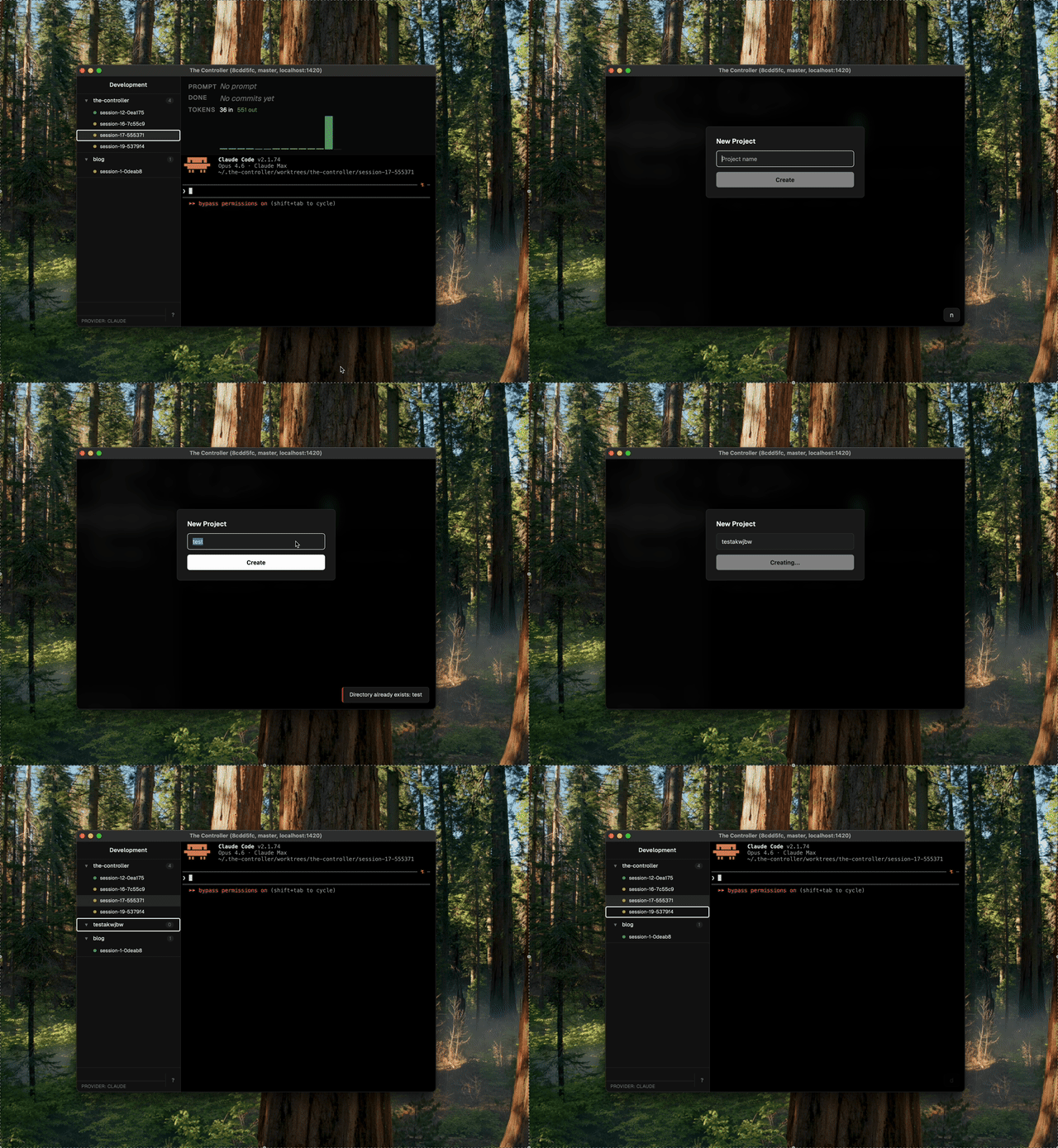
c dCreate a new session or delete the selected one.
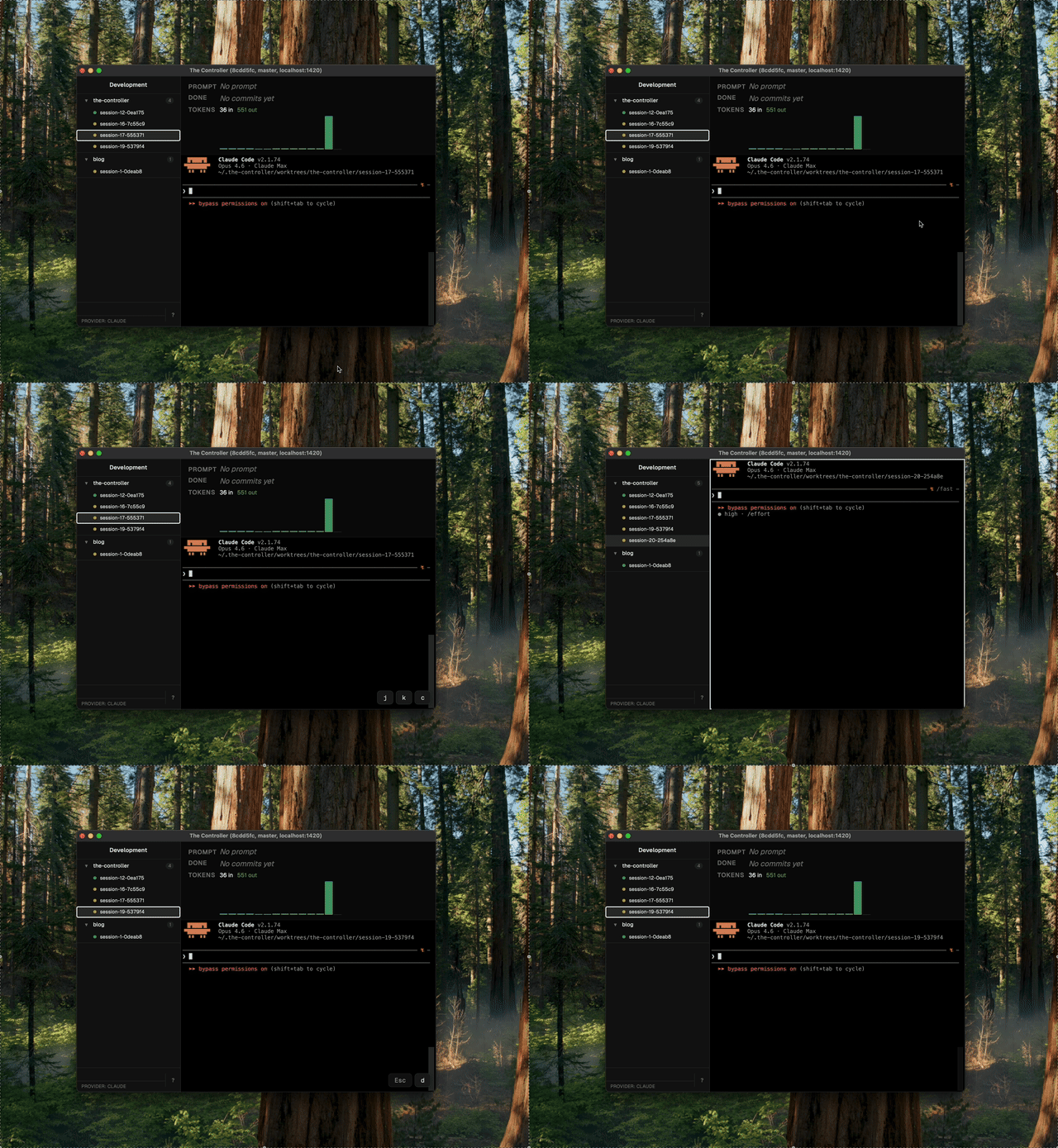
n dCreate a new project or delete the selected one.
cmd+shift+sOne keystroke to capture the current view and save it to the project.
vOne keystroke to preview uncommitted changes.
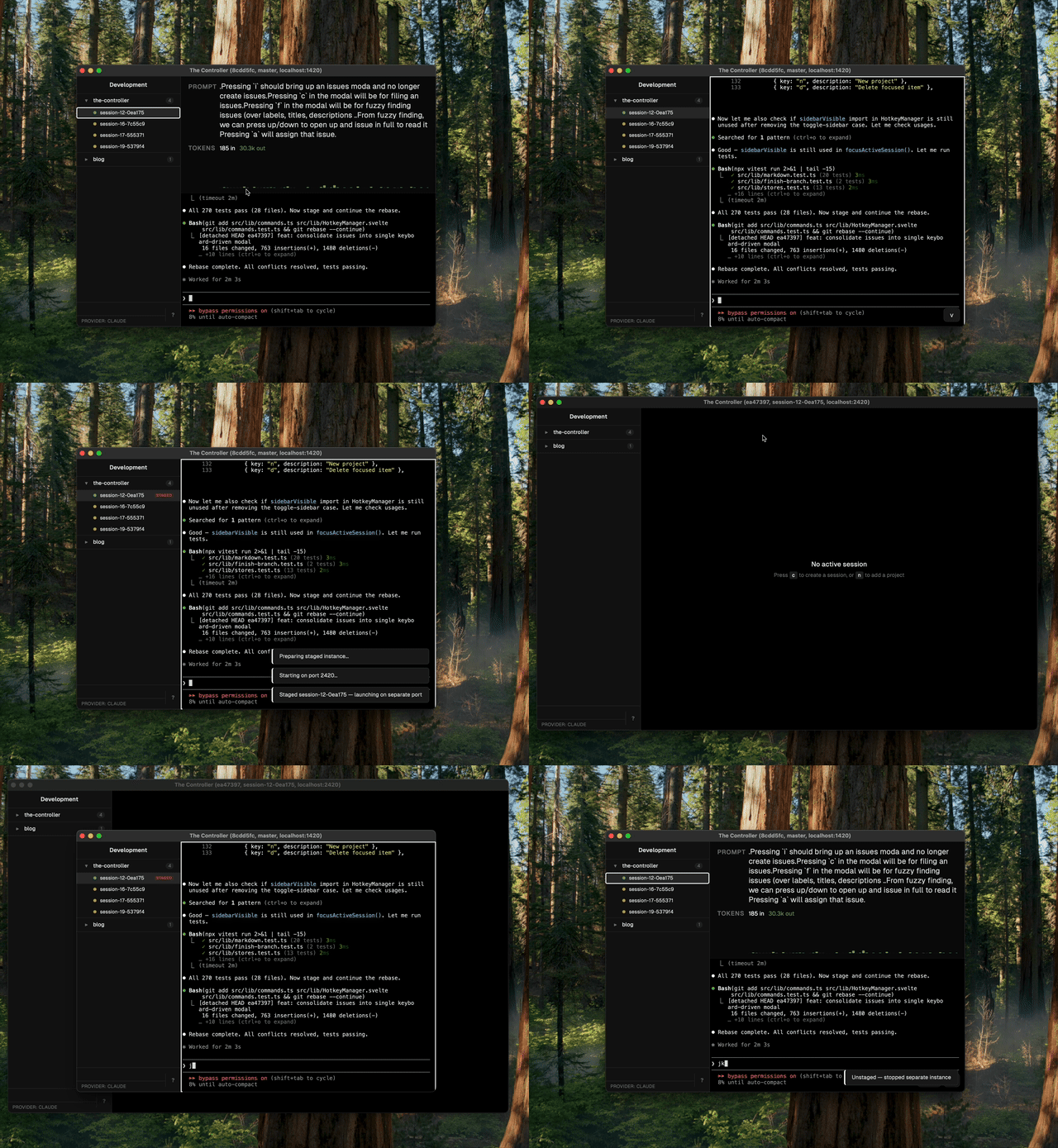
Together they close the loop: take a screenshot, have the agent inspect the UI with Playwright (/the-controller-debugging-ui-with-playwright), fix the issue, toggle staging to verify the fix.
grug done talking now. if you want see cave for yourself, it here. bring own stick. grug not responsible if cave eat you.
if grug story useful, consider leaving shiny rock on github. shiny rock help other grug find cave.
grug not build cave alone. grug thank fellow grugs who poke holes in story and share wisdom: Jacob, Tom, Shunjie, August, RC, Zhicai, Qin Guan, Parizad, Claire, Yong Kang, Jing Yen, Chun Yu, and Jon.